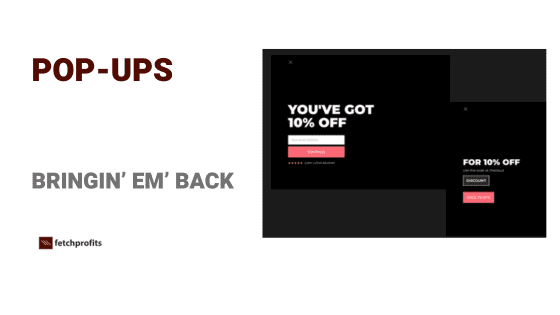
The reason why we are going back to basics on How to Use Pop-ups is because it looks like the whole world decided not to use pop-ups. Either they have ugly pop-ups (or is it poop-ups?) slapped on each visitor within microseconds after landing on an eCommerce store or a website or never show any pop-ups at all. This is ironical considering that pop-ups is where your email list growth starts.
Pop-ups are primary lead generation elements. Without pop-ups, you really have no window of opportunity to start generating leads depending on the offers you make.
Why Use Pop-ups?
Omar Lovert, CEO and founder of Polaris Growth, says:
"Pop-ups are where and how people enter your database"
and he also reiterates:
"They are also the biggest lever you can pull to boost the results of your new subscriber flow"
I don't need to say anything beyond what Omar said. I guess you get the point.
Negativity Around Pop-ups: Stripping it Away
In al these years of working as a marketer, I've been on the front lines of the hatred for pop-ups. People hated pop-ups enough that there were co-ordinated rallies (digital, almost like a hive mind) to make these go away.
But they didn't. There's a good reason for that.
Before I get there, here's a promise you and I will keep: Learn to(or make an effort) to make pop-ups show up on your website appropriately.
12- 15 seconds after someone lands on your site
Show relevant pop-ups (contextually relevant) on relevant pages? Like a pop-up that shows how to set up Meta Conversion API and the Meta Pixel on a blog post that talks about Meta ads (see where I am going with this?)
Basically, we don't just learn to how to use pop-ups. We learn to do it with care and love.
Pop-ups work.
If you run a business, you just need these pop-ups to work to help with lead generation. Without pop-ups, you are leaving money in the ditch. You are throwing opportunities away. All those visitors to your site have nothing to do (or sign-up for).
Opinions are not needed for business.
How to Use Pop-ups (Like a Pro)
Pop-ups are triggered based on actions. Either when people land on your website or any of the pages on your website, Or when they click on a link or a button, or when they are about to leave your website. Other variants of pop-ups such as opt-in forms and sign-up forms can also be embedded inside the content that you have displayed on your site.
Especially for those pop-ups that actually show up when people take action such as visiting your site and reading up all of the content on your site or when they spend a certain amount of time on your site, you'd need to address the timing, display, and trigger options for each of your pop-ups.
The usual options for Pop-up display, triggers, and other options are usually as follows:
- Display pop-up after visitors spend X time on site.
- Display only to visitors from certain countries
- Use rules to let the Pop-up NOT show to your existing subscribers or customers or both.
- Use rules to NOT show pop-ups on certain pages of your store (such as your checkout page, cart page, product pages, service pages, pricing page, etc.) so as to not distract visitors when they are on your most important pages.
- If you have multiple pop-ups making multiple offers ( such as content specific lead magnets, downloads, freebies, and other offers) ensure that you work with conditions and rules to ensure that these pop-ups don't collide and show up together at once.
Advanced Tips For Pop-ups
According to Omar, and Klaviyo, you should neither take the numbers generally thrown about with regards to conversion rates (1-3% global averages or even your specific industry averages). Take the average number and increase it slightly. You'd make that your new goal for conversions.
Here are some tips:
- Test desktop and mobile separately. This is my biggest pet peeve because it’s both easy and overlooked. We’ve seen totally different winners by device, especially when audiences skew older on desktop and younger on mobile. Treat them as different canvases, because they are.
- Use a two-step pop-up. Collect email consent on step one and SMS consent on step two, and keep inputs minimal. The more fields, the more friction, and conversion is often lower. While using a single-step form sets you up to miss key information (like an SMS opt-in), and 3 steps ask for too much information, two steps is the sweet spot.
- Collect one smart, zero-party data point. If you sell skincare, asking “oily, combo, or dry?” in the pop-up is incredibly valuable. That single answer informs relevant recommendations from day one.
- Run an SMS-specific pop-up to email-only subscribers. Before Black Friday Cyber Monday (BFCM), an SMS-only pop-up promising early access works incredibly well. If it’s not Q4, tie it to a product drop or launch.
- Fix timing with tests, not guesses. Don’t present a pop-up in a shopper’s face for products that require explanation. I’m a fan of page-scroll triggers that display forms after someone has consumed a meaningful portion of the page. Different products need different timing. Test to find the right timing for your audience.
There are tons of reasons why you shouldn't use pop-ups, if you were to believe the majority of what the Internet says (and certainly what social media says).
There's, however, one good reason why you should use: You get to generate leads.
Without leads, there's no business. Marketing triggers don't work. No sales. No revenue. No profits.
Let's work to stop being so opinionated and rather be successful, shall we?